
Single campus
One institution, scoped modules
Custom quote Per institution · scoped modules
- Core Tally Connector modules you need
- Dedicated tenant & subdomain
- Implementation & training support
A Windows desktop agent that posts your Tuling payroll and fee vouchers into TallyPrime automatically — no manual entry, no duplicates.
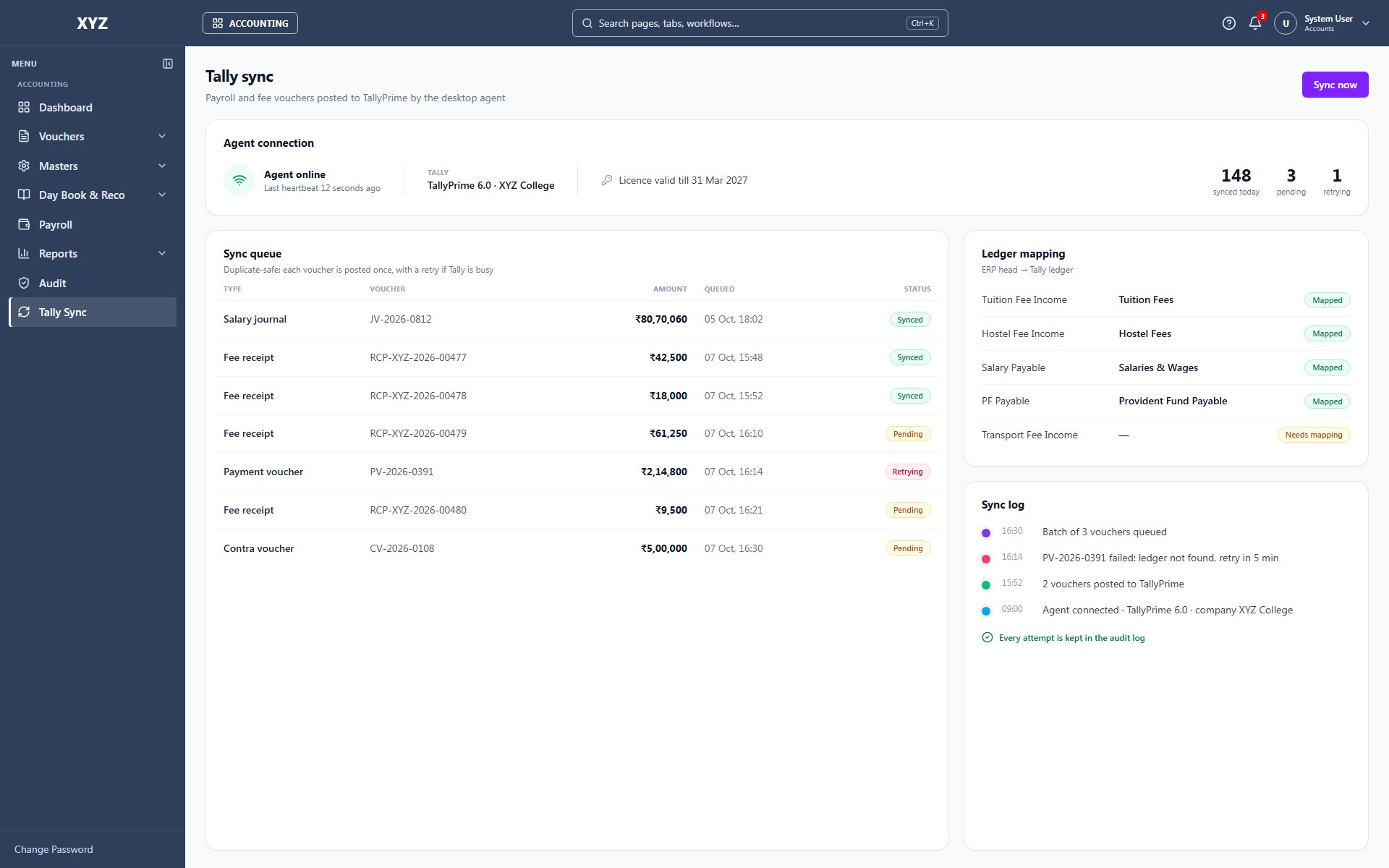
Tally Connector exists for one reason: manually typing payroll and fee entries into Tally every month is slow, repetitive, and error-prone. It’s a small Windows application that installs on the same PC as TallyPrime, checks in with your Tuling data every minute, and posts anything new directly into Tally as a proper voucher — automatically, safely, and with a full record of what happened.
TallyPrime provides its own standard integration mechanism — an XML Gateway your accounting team can enable in a few clicks (F12 → Data Synchronization). Tally Connector talks to that gateway locally, so there’s no fragile screen-scraping or unofficial workaround — just Tally’s own supported integration path, driven automatically instead of by hand.
A system tray icon, a simple setup wizard, a standard Windows installer your IT team can deploy silently across machines — this isn’t a developer tool dressed up for finance staff. It’s built to disappear into the background and just work, with a dashboard there when someone wants to check what synced and when.

Capabilities
The capabilities that make Tally Connector more than a records system.
Runs quietly on the accounts team's PC, checking Tuling every 60 seconds and posting new vouchers into TallyPrime — no one has to remember to run a sync.
A deterministic ID is generated for every voucher, so a retry after a network blip never creates a second copy in Tally.
Every sync attempt — success, failure, or skip — is logged locally and visible from the desktop dashboard.
Periodically checks your actual Tally ledger names against Tuling's chart of accounts and reports matches back — less manual setup when ledger names don't line up exactly.
An integrated Cloudflare Tunnel lets our cloud platform reach the Tally PC securely, without your IT team opening any firewall ports.
A standard Windows installer your IT team already knows how to deploy.
Modular entitlements — enable only what your institution needs.
How Tally Connector connects to the rest of the platform.
Licensing
Every deployment is scoped to your student and staff count, modules, and campuses. We prepare a formal proposal — no published list price.
One institution, scoped modules
Custom quote Per institution · scoped modules
Most common for groups
Roll-up reporting across campuses
Custom quote Per institution · scoped modules
HCM, SIS, Financials & more connected
Custom quote Per institution · scoped modules
Next steps
Walk through Tally Connector with the product team — live ERP, your modules, your questions.
Schedule demo →Institution platform overview PDF for proposals and internal review.
Get PDF →See how this product connects to HCM, SIS, Tally, Power BI, and more.
View integrations →Request a formal quote scoped to your campus size and module list.
Contact sales →FAQ