
Tuling Campus Ops module
Library Management
Catalog, issue desk, gate entry, fines and reports — a full college library on the same member records, with no second vendor.
Library Management in action
Screens from the Tuling ERP. Select one to view it full size.
About this module
A college library is more than a catalog. Tuling treats it as one connected desk — the entrance, the issue counter, the rules, and the reports for the committee and for Accounts — all on the same member and book records.
Capabilities
-
Book catalog
Title, author, ISBN and category management, with copies carrying accession numbers, price and details, printable accession stickers, and a wishlist of titles to acquire.
-
Members and digital ID
Member records with QR digital library cards for students, faculty, staff and management, with remarks that show up at the desk.
-
Issue and return desk
Scan a member, then scan books to issue; return a whole stack by accession number. A book returned the day it was issued needs a short reason, recorded on the loan.
-
Gate entry log
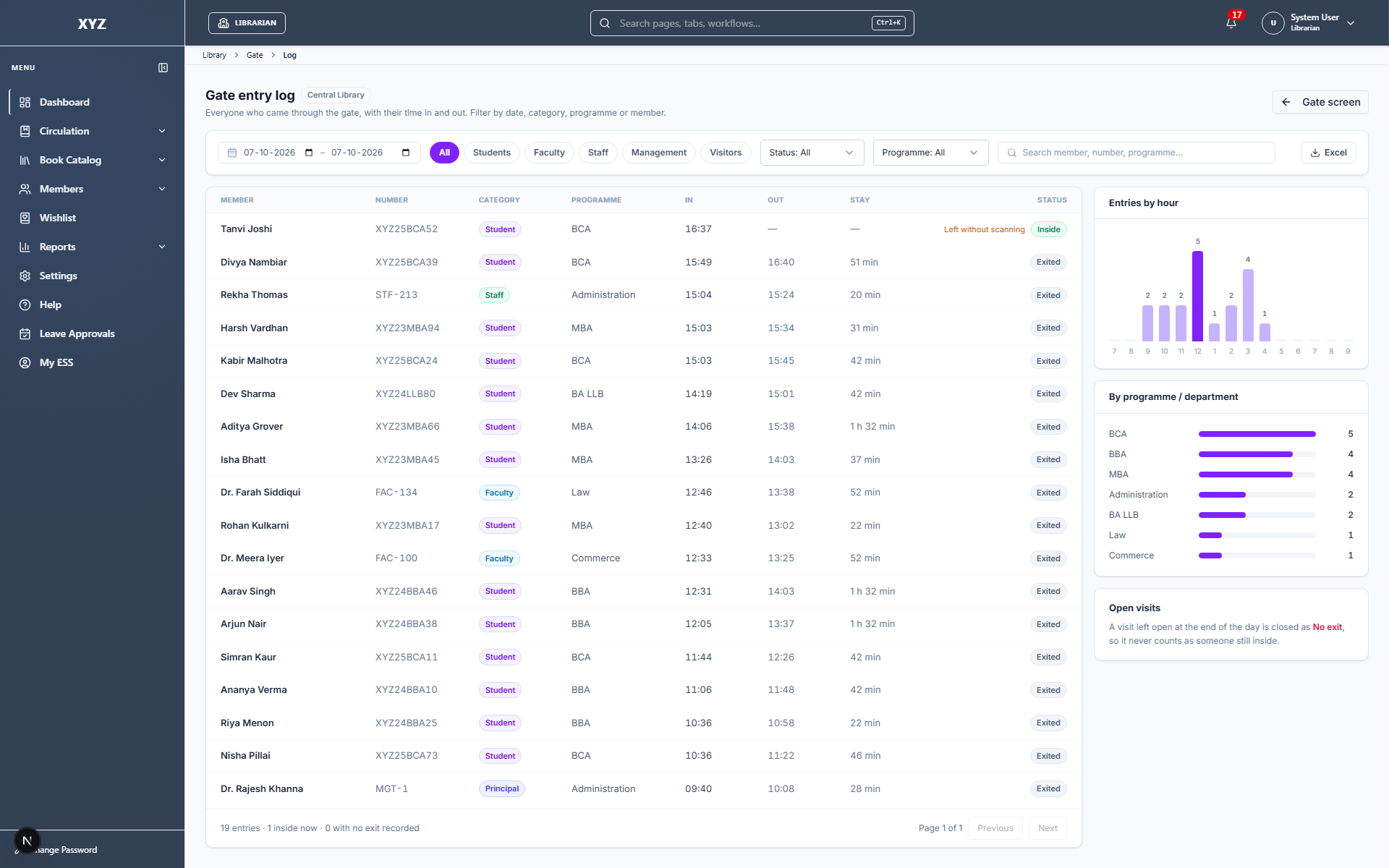
A scan-in, scan-out kiosk at the entrance for students, faculty and staff, and a gate log you can filter by category, programme and member, with hourly footfall and Excel export.
-
Rules by member category
Loan days per category, and a choice of which categories are never fined. The fine rate is stored on each loan at issue, so changing it affects only new loans.
-
Holidays, fines and lost books
Weekly offs, declared holidays and grace days; a fine ceiling tied to the book's price; and a lost-book flow with a wait period and charge.
-
Status correction
When a copy shows Issued but is on the shelf, the librarian corrects it with a mandatory reason, which also closes the stale loan.
-
Circulation report
Issue, return and all-activity views in one report, filtered by date, member category, programme, status, member and book, with chosen columns and Excel or CSV export.
-
Collection reports
Count the collection by programme, subject, publisher, year, location and status, and see the accession register, duplicates and records with missing details.
-
Fine collection for Accounts
Money received against fines by month, staff member, payment method and day, with an Excel download. Waivers are not counted.
-
Library roles
Library screens are open to librarians and management roles only, so a director can see the reports without being given HR or admin rights.
FAQ